
Test your memory, reach the treasure. Keep moving forwards, for you cannot go back!
Pebble to Playdate
The Pebble smartwatch was great, it had a tremendous battery life, smart design, nice community and a really nice development API with good tooling.
Back in 2016 I released three projects for Pebble, one watch face: Higgs O’clock and two games, Rock Crusher: a match-three game, and You Cannot Go Back: a dungeon adventure which requires the player to keep multiple clues in their memory whilst simultaneously solving puzzles and and playing mini action games. (Plus one abandoned project: Time Sink, which proved too challenging for the hardware. This and other abandoned projects might get their own write up one day).
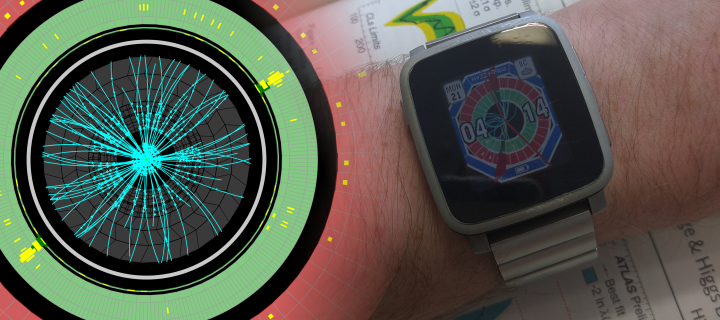
Sadly, Pebble went bust in late 2016 and the official servers went down a couple of years later. The community stepped in and (as of 2022) are still running https://rebble.io/ as parallel infrastructure. But interest in the platform and new development work obviously waned as the number of in-use Pebble watches fell after production ceased.
These Pebble projects, while written in C, were also tied into the Pebble watch API which was needed to handle all rendering, menus, utility, and life-cycle management. With Pebble effectively dead, I assumed these projects to be effectively dead too. That is until Panic announced the Playdate in 2019, a boutique handheld gaming console. Bright yellow and more reminiscent of a GameBoy built for the 2020s than a soulless generic mobile gaming device.
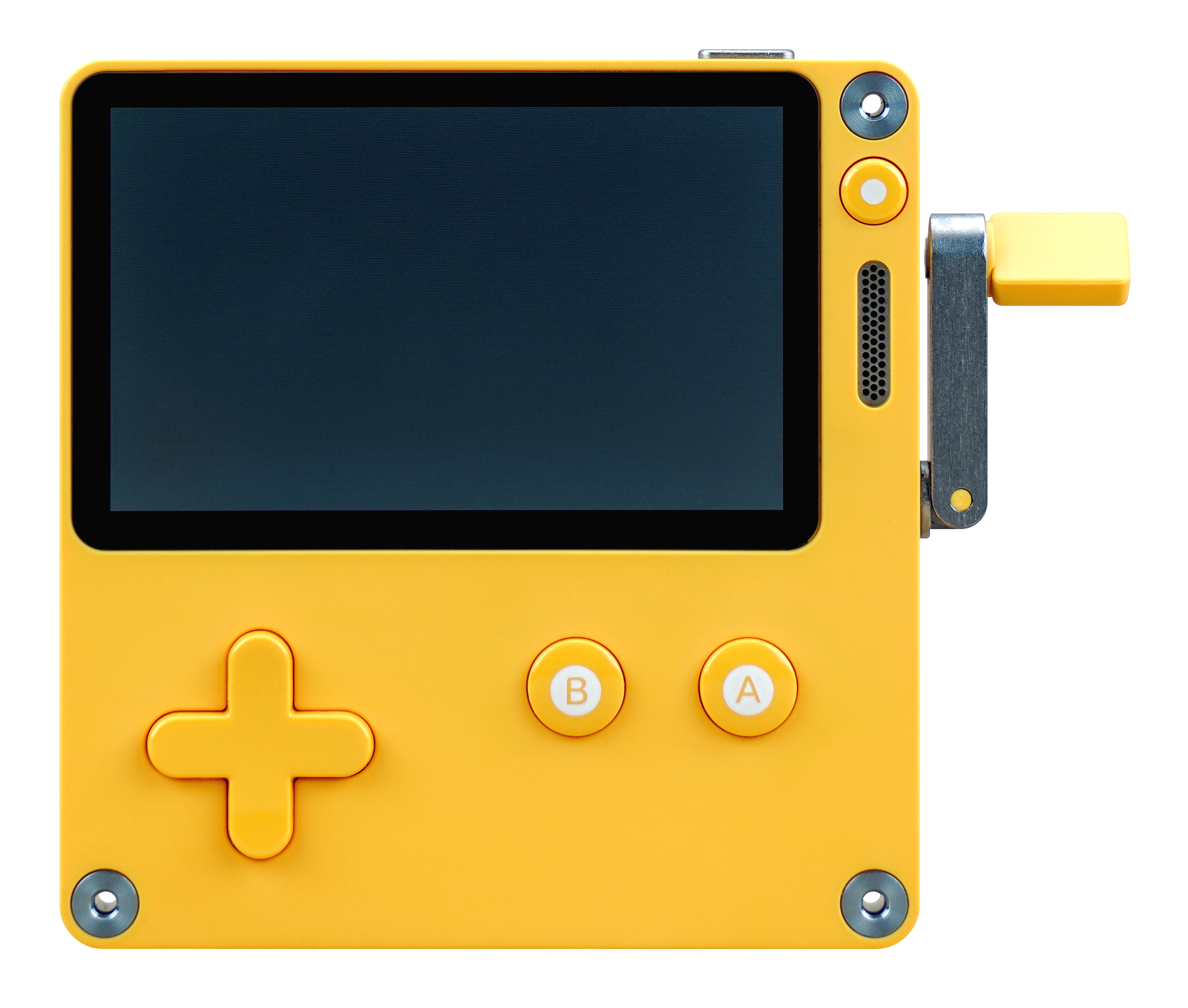 Playdate by Panic (Image by Louiemantia via Wikimedia commons, CC BY-SA 4.0)
While the Pebble smartwatch series and the Playdate have a fair bit which separates them, they also have an important commonality in that they both run on the STM32 family of 32-bit ARM micro controllers (the F2 and F7, respectively). I got thinking about the possibility of breathing some new life into my old projects, and when Panic published the Playdate’s C API earlier in the year I saw there were strong similarities…
Where Pebble had
void graphics_draw_bitmap_in_rect(GContext * ctx, const GBitmap * bitmap, GRect rect)
Playdate has
void playdate->graphics->drawBitmap(LCDBitmap* bitmap, int x, int y, LCDBitmapFlip flip);
Pebble’s
void graphics_draw_text(GContext * ctx, const char * text, GFont const font, const GRect box, const GTextOverflowMode overflow_mode, const GTextAlignment alignment, GTextAttributes * text_attributes)
becomes
int playdate->graphics->drawText(const void* text, size_t len, PDStringEncoding encoding, int x, int y);
and
void graphics_fill_rect(GContext * ctx, GRect rect, uint16_t corner_radius, GCornerMask corner_mask);
becomes
void playdate->graphics->drawRect(int x, int y, int width, int height, LCDColor color);
And so on… Did the Playdate developers know of the Pebble API? Or are there only so many sensible ways to construct an embedded device interface in C? Or a bit of both? We see that Pebble went with the approach of explicitly passing a rendering context, ctx, whereas Playdate maintains a stack, playdate->graphics->pushContext(LCDBitmap* target);. While overall I would say that Pebble’s API was more feature-complete, it’s not a totally fair comparison as Playdate also publishes a Lua API and a lot of the higher-level functionality which is “missing” from the C API can be found in the Lua one (whereas for the Pebble, it was the secondary JavaScript API which was the simpler of the two).
I decided then that my first Playdate project would be a port. I didn’t see much demand for a watch face on a gaming system, and the system already came with an innovative match-three style game as part of its official first season. So You Cannot Go Back! was chosen and work commenced on the port.
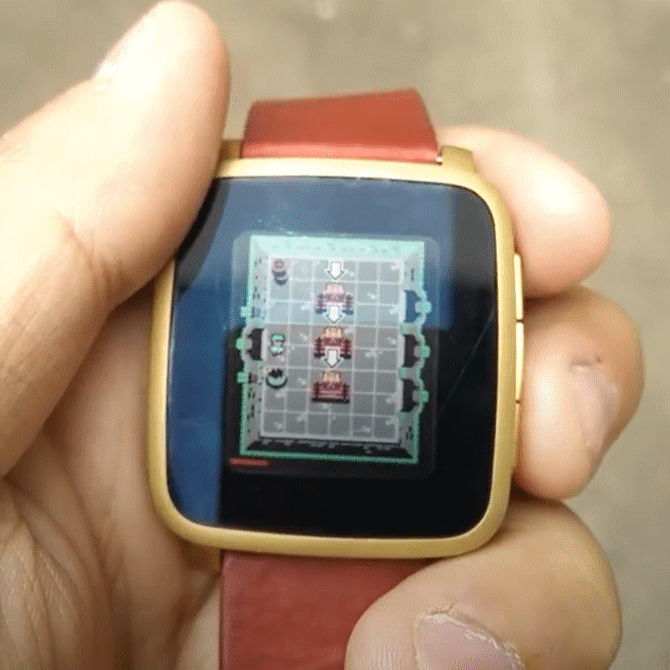 You Cannot Go Back! Running on a Pebble Time (via CheapGamex, YouTube)
The Port
Interestingly, Playdate will build a separate native shared object library for use in the simulator to the ARM binary used by the device. Getting the gcc based native compilation working was much easier than the arm-none-eabi-gcc chain. I hate Makefiles… specifically when I need to edit them, but thankfully others had documented that (for example) you need add -specs=nano.specs -specs=nosys.specs to the linker options in order to link against the snprintf function on-device (I could also have refactored to use formatString(...); in Playdate’s C-API)
A big bonus which helped with the porting is that the game used very little of Pebble’s extensive Windows, Layers and Menus APIs. Just a single window and layer was used to draw the game world, no menus (all three watch buttons were used for gameplay).
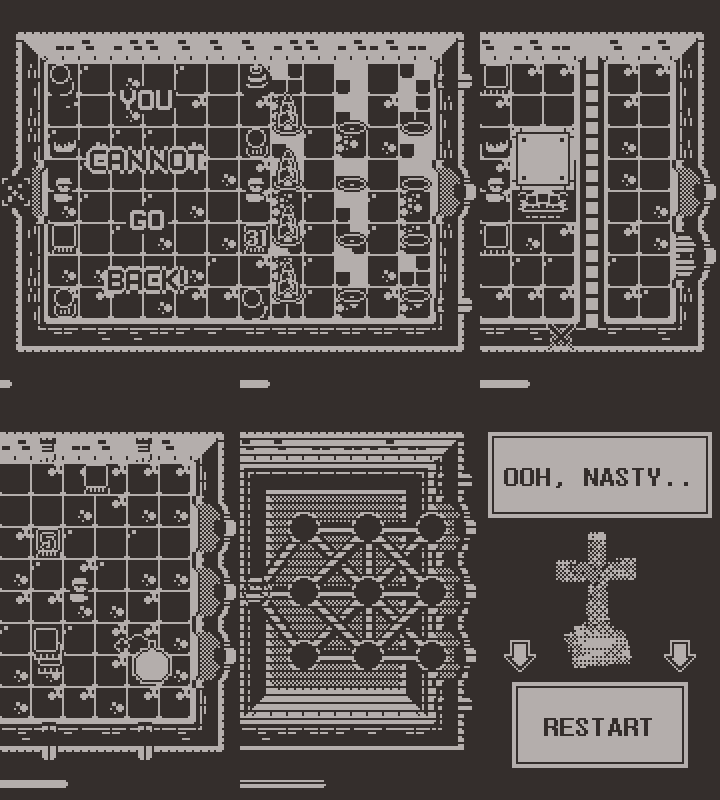
Working through replacing API calls I managed to get a functional build from one weekend’s worth of work. Another weekend (plus some time on the project after work) was needed to add audio and code in four additional room types (Action-Bomb, Memory-Boxes, Action-Spears and Puzzle-Shapes) which are all new to the Playdate build. One final weekend was then spent on some polish, adding Playdate quality-of-life features such as auto-detecting portrait vs. landscape mode, adding menu items and generating promotional material. A bit of work, sure - but nothing nearing the original development, testing, tuning and polish time from back in 2016.
Development of the original game had to stop as I had literally used up the entire 64 kB user-accessible RAM on the Pebble. No more graphics could be added, even adding any more levels would push the binary over the limit and the final build shipped with only some bytes left unused! With the new levels, new art, the Playdate build comes in at a grand total of 55 kB (including binary and graphics, excluding in-game mallocs and audio). This is then completely dwarfed by 2.7 Mb of sound effects and 17.8 Mb of music, all ADPCM encoded WAVs as recommended for CPU efficient decoding on-device.
Some notes about the Pebble to Playdate porting experience.
The Display:
At 400x240 with 1-bit colour the Playdate is close to (but annoyingly not quite twice) the resolution of the Pebble Time’s 144x168 “e-paper” display with 8-bit colour (64 colours).
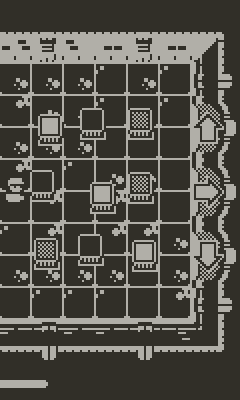
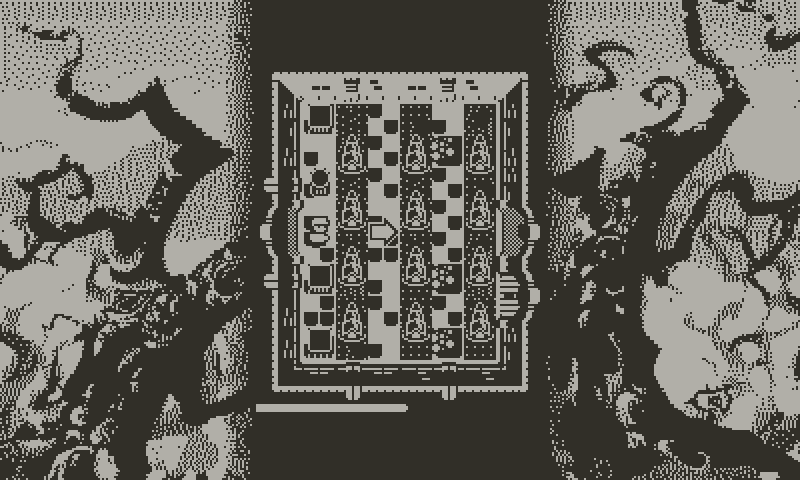
In the Playdate’s native landscape mode I centred the game window on the screen at 1-to-1 scale and add some large borders left and right. For portrait mode, I render to a bitmap which then gets rotated 90 degrees and drawn at setScale(2). Vertically there are another 64 pixels to play with, but horizontally 288 is sadly 48 pixels larger than 240 so I experimented by adding a horizontal scroll which cuts off either the left or right dungeon walls. It’s a bit annoying but doesn’t really affect the gameplay for this particular game, and is a lot less work than re-sizing the dungeon!
Rendering:
Lines, stroke or fill of circles or rectangles - all easy to port. Bitmap text rendering was easy too. It looks like text centring has to be done manually with the C-API by querying getTextWidth(), and this only then works for single-line strings, but this is true for the majority of the strings in the game anyway.
One change which caused some trouble is that in Pebble I could load my sprite sheet as a single image and then call gbitmap_create_as_sub_bitmap(m_spriteMap, GRect(x, y, w, h)); to get GBitmap* which reference a region of the parent image - I used this heavily as while the majority of my sprites were 16x16, some were larger, and some were 8x8. As Playdate’s compiler chunks the sprite sheet at compile time, I have had to split everything into 8x8 tiles and added a wrapper such that every call to draw a regular 16x16 tile now needs to make 4 separate calls to drawBitmap. So that’s up from 48 to 192 draw calls now just to draw the floor. If the game performance was poor I could have reworked the different sized sprites into their own sheets, but it turns out that this wasn’t necessary.
A bonus of the Playdate’s more powerful hardware is that the saws in the Corridor Of Blades could actually rotate now thanks to playdate->graphics->drawRotatedBitmap(...);! I always wanted this for the Pebble and while it did have graphics_draw_rotated_bitmap(...); in the API, the watch hardware could not handle this being called on every frame.
Converting the sprite sheet to single-bit fidelity proved harder than I expected, I had limited success with automatic dithering tools and in the end a lot of pixels needed to be placed by hand.
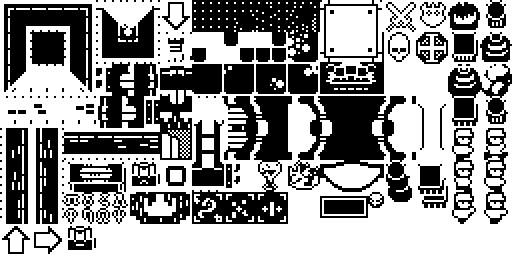
New graphics were needed for the bomb and spear, the spear needed to shoot out from the ground and so I needed to mask a variable amount of the length of the spear on each draw call to hide the below-ground part. The only function I could find here was playdate->graphics->setBitmapMask(LCDBitmap* bitmap, LCDBitmap* mask);, where the mask must be the same dimensions as the bitmap. So I ended up with the ugly but passable solution of having as many masks as there were vertical pixels in the bitmap, and switching the mask out on every frame based on how far the spear protruded above the ground. I could at least load all 48 bitmaps efficiently via loadIntoBitmapTable(...).
Audio / Haptic Feedback:
Pebble had haptic feedback, but Playdate doesn’t - the calls to activate the vibration motors were easily removed. The Pebble did not have the ability to make any sounds, not even a buzzer. So all music and sound effects were sourced and added from scratch. Here I went with a mostly 8-bit vibe to compliment the pixel graphics and fit in with the Playdate aesthetic.
User Input:
In Pebble I would subscribe to button presses by supplying a call-back e.g window_single_click_subscribe(BUTTON_ID_UP, gameClickConfigHandler); and subscribe to the accelerometer with accel_data_service_subscribe(1, dataHandler); accel_service_set_sampling_rate(ACCEL_SAMPLING_25HZ);
For Playdate I am polling both the buttons and the accelerometer (which I am using now for auto-rotation to portrait or landscape mode), though (as also noted on on this forum post) there is also a PDSystemEvent kEventKeyPressed defined - it would be a bit nicer if input could be handled this way via call-backs, rather than polling inside the game loop.
The game continues to use only three buttons like its Pebble counterpart before it. Up, Right and Down (or, Right, Down and Left in portrait mode). The Left, A, and B buttons are all unused, as is the crank. I did consider shoehorning the crank in for the Corridor of Blades, but I didn’t want to pause the game in order to give the player the time they would need to un-dock the crank.
Game Loop:
On the game loop, I have separate update and render functions. In Pebble I would us a timed call-back to keep my update function being called, to request redraw I would layer_mark_dirty(s_dungeonLayer); as I had previously registered layer_set_update_proc(s_dungeonLayer, dungeonUpdateProc);
With Playdate I can get the system to call my update function with playdate->system->setUpdateCallback(gameLoop, NULL); from which I can call dungeonUpdateProc when I need to re-render.
The game is designed to run at s_gameLoopTimer = app_timer_register(1000 / 20, NULL); / playdate->display->setRefreshRate(20); / 20 FPS and this was kept as many of the games systems were tuned around this value (I know the simulator can do 50 FPS with current levels of optimisation, I don’t know at what level the Playdate’s hardware would cap out - but it managed a steady 20 FPS for one play tester).
Release:
With thanks to the helpful people on the Playdate developers forum for posting handy dev hints and details of some subtle bugs they had found (which would otherwise affected me), and to those with physical Playdate devices who are willing to act as play testers for those of us who are currently without - the Playdate release of You Cannot Go Back went live on May 14th on itch.io.
Now one day later, it’s already clear from the numbers that the Playdate release is going to be way more popular than its Pebble counterpart ever was. Gaming on a notification/health focused smartwatch was already quite niche, whereas with the Playdate new people are receiving their devices daily, hungry for content, and the indie gaming scene for the platform is still in its early days (as of writing, there were 97 tagged Playdate published on itch.io).
Next
Given the promising early reaction from the launch, I would certainly consider writing a new original game for the Playdate. No solid plans, but something which uses the power of the C-API along side the F7 CPU to drive some interesting in-game simulation would interest me.
You Cannot Go Back! is also a very easy game to expand by simply adding new chamber types into the mix available to the dungeon generator, or even an optional 4th level of the dungeon could be tacked on - with even harder versions of all existing chambers. I went through every page of the knightmare.com fan site (due to this classic British kids TV show being the original influence) to look for inspiration for new chambers, but after having now added the four chambers mentioned above I am again out of ideas for new rooms here.
You Cannot Go Back is written in C and is available on GitHub and itch.io.